
Choosing an IT support provider is one of the more consequential decisions a growing business makes, and one of the hardest to compare, because almost nobody publishes exactly what they include. Two quotes for the "same" service can differ by thousands a year once you read the small print. This guide is a practical UK buyer's guide: what to compare, the questions that matter, and the red flags to avoid.
Choosing IT support?
Get a free, no-obligation quote you can compare like for like.
Start with what you actually need
Before you talk to anyone, write down the basics: how many users and devices, how many sites, whether you have on-premise servers, which cloud services you rely on (Microsoft 365, line-of-business apps), and your current pain points. Giving every provider the same brief is the only way to get comparable quotes, and it stops you being sold a package that does not fit. If you are weighing this against hiring, our guide to outsourced vs in-house IT helps frame the decision.
Compare scope, not just price
The single most important habit is to compare what is included, not the headline number. Independent UK pricing guides are consistent that the biggest hidden cost is security and backup: a cheap quote often excludes them, and buying them separately can add a large amount per user. Our explainer on how IT support is priced covers the per-user, per-device and tiered models and what drives the figure.
The questions that matter
Scope and exclusions
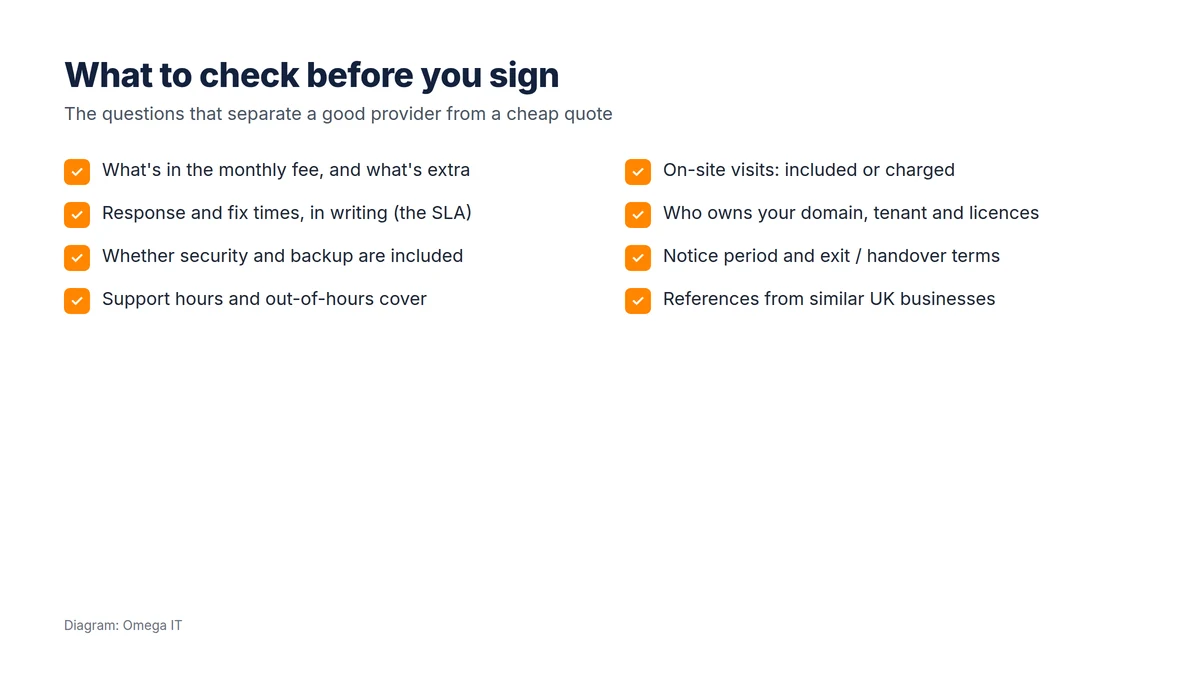
What exactly does the monthly fee cover, and what is charged on top? Project work, hardware, licences, on-site visits beyond an allowance and out-of-hours work are commonly excluded. Ask for the exclusions in writing.
Response and fix times (the SLA)
Are priorities defined clearly, and does the service level agreement commit to response times, fix times, or both? A "response" can just mean someone acknowledges the ticket. Our IT support contract checklist lists the clauses to look for.
Security and backup
Is a real security stack included, endpoint protection, multi-factor authentication, email security, and is backup (including Microsoft 365 backup) part of the deal or an add-on? Given that 43% of UK businesses reported a breach or attack in the last year in the government's Cyber Security Breaches Survey 2025/26, this is not a place to find gaps later.
Support hours and on-site cover
What are the standard hours, is out-of-hours included or extra, and when will an engineer attend in person? If you have multiple sites, confirm how on-site visits work for each.
Ownership and access
Your domain names, Microsoft 365 tenant and software licences should be registered to your business, not the provider's, and you should be able to obtain administrator access and documentation at any time.
Credentials and references
Do they hold relevant certifications such as Cyber Essentials or Cyber Essentials Plus, and can they give references from businesses like yours? (For the record, Omega IT is Cyber Essentials Plus certified, 2026, via CyberSmart.)
Ask the right questions
Our UK team is happy to answer the questions this guide suggests.
Contract red flags
- A vague scope that is hard to pin down, which usually means surprises on the invoice.
- "Best-effort" response times with nothing committed in writing.
- Security and backup as silent extras behind a low headline price.
- Auto-renewing contracts with long notice periods and penalties.
- Your assets in their name, domains, tenant, licences, so leaving is painful.
- No clear exit or handover, or a charge to hand back your own documentation.
If you are already with a provider and recognising these, our guide to switching IT support provider walks through moving without disruption.
How to run the comparison
- Brief every provider with the same information.
- Ask for scope, exclusions and response times in writing.
- Line up what is included, especially security and backup, side by side.
- Check the minimum term, notice period and any price-rise clauses.
- Confirm ownership of your domain, tenant and licences.
- Take up references, and trust how clearly they answer as much as what they say.
Questions to ask on the first call
You can learn a lot before any proposal lands. On a first call, ask:
- "What is in your standard monthly fee, and what is charged on top?"
- "What response and fix times do you commit to in writing, and what happens if you miss them?"
- "Are security and backup included, or extra?"
- "Who will we actually deal with, and how do we raise urgent issues out of hours?"
- "At the end of the contract, how do you hand everything back, and is that chargeable?"
Clear, specific answers are a good sign. Vague ones, or a reluctance to put anything in writing, tell you how the relationship will feel when something goes wrong.
Want this handled for you?
Omega IT can take the day-to-day IT off your plate.
Onboarding: what good looks like
The first few weeks reveal a lot. A capable provider starts by auditing and documenting your estate, devices, servers, cloud services, licences and backups, and agrees a baseline before taking over day-to-day support. Expect them to tidy up obvious risks early (multi-factor authentication, patching, admin accounts) and to confirm that your domain, Microsoft 365 tenant and licences are in your name with you holding administrative access. A provider that documents your environment properly at the start is one you can also leave cleanly later, which is exactly the reassurance you want before you commit.
Talk to Omega IT
Omega IT sets out scope, exclusions and response commitments in writing so you can compare properly, and provides managed IT support and outsourced IT support for UK businesses.
Comparing providers? Call 0800 254 5458 or 03333 580 300, or request a quote and see our scope in writing.
Sources
- GOV.UK: Cyber Security Breaches Survey 2025/26
- Indicative UK IT support pricing: published UK MSP pricing guides, October 2026.
General guidance, accurate to October 2026. Diagram by Omega IT.