
If a criminal can send an email that appears to come from your business, they can phish your customers, trick your staff and run invoice fraud in your name. SPF, DKIM and DMARC are three email records that make that much harder, and as a bonus they help your genuine email reach the inbox. They sound technical, but the idea behind each is simple. This guide explains what they do, how they work together, and how to roll them out safely.
Is your email spoofable?
See how our cyber security team sets up SPF, DKIM and DMARC for you.
Why email needs protecting
Email was not built with sender verification in mind, so by default almost anyone can put your domain in the "from" address. That is exactly what attackers exploit in phishing and invoice fraud. SPF, DKIM and DMARC are the standards that close that gap, and the NCSC's email security and anti-spoofing guidance recommends all three for organisations of every size.
What each record does
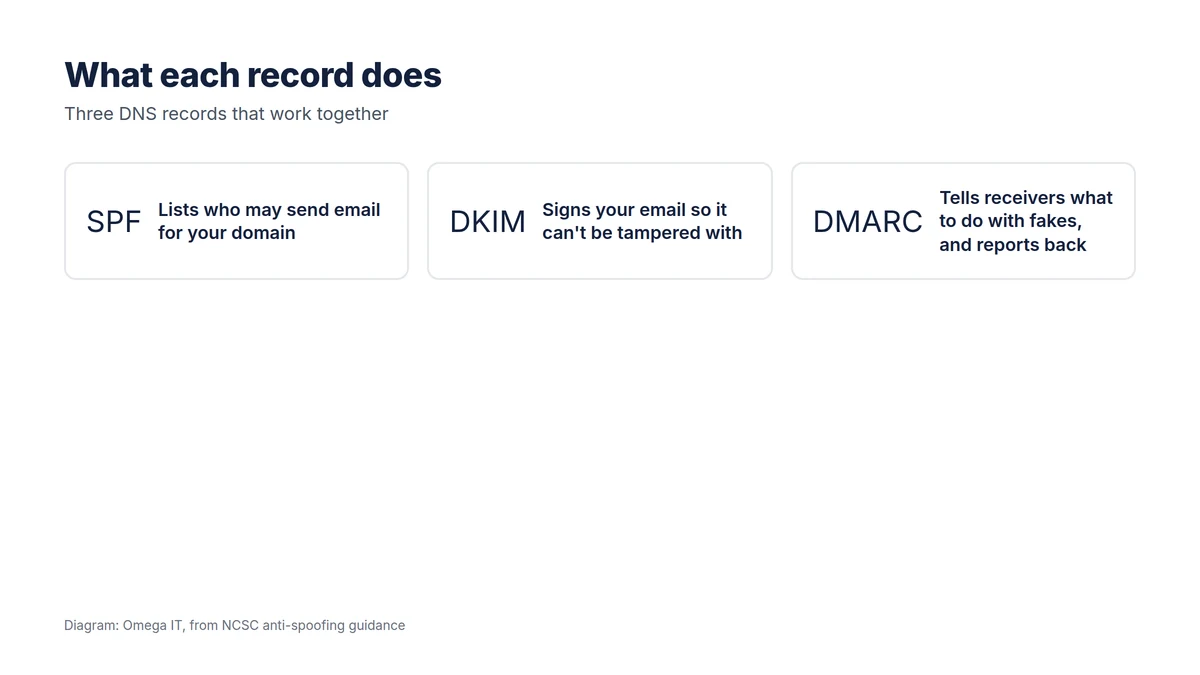
- SPF (Sender Policy Framework) is a published list of the servers and services allowed to send email for your domain. A receiving server checks whether the message came from one of them.
- DKIM (DomainKeys Identified Mail) adds a tamper-proof digital signature to each message, so the receiver can confirm it really came from your domain and was not altered in transit.
- DMARC (Domain-based Message Authentication, Reporting and Conformance) ties the two together. It tells receiving servers what to do when a message fails SPF and DKIM, and it sends you reports on who is sending email as your domain, including the fakes.
None of them is enough alone. SPF and DKIM do the checking; DMARC decides the consequence and gives you visibility.
How the checks work in practice
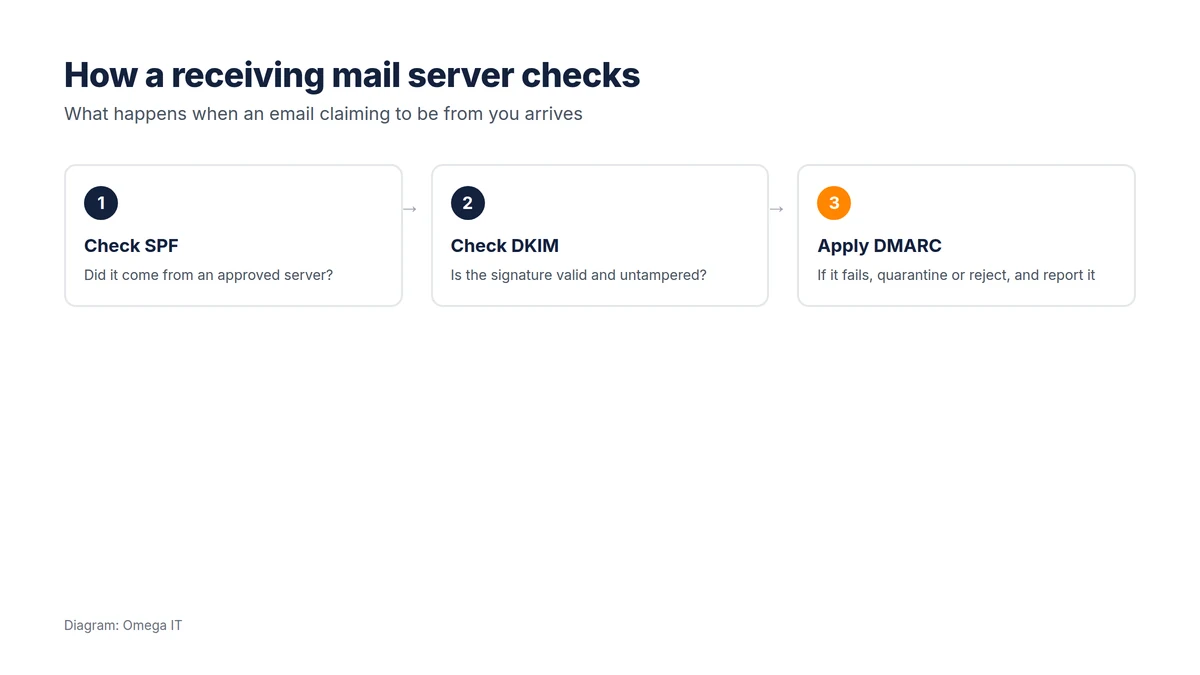
When an email arrives claiming to be from your domain, the receiving mail server checks SPF (did it come from an approved server?), checks DKIM (is the signature valid and untampered?), and then applies your DMARC policy. If the message passes, it is delivered normally. If it fails and your DMARC policy says so, it is sent to spam or rejected outright, and a report is logged for you. That is how a spoofed email purporting to be from your finance team gets stopped before it reaches a customer.
Stop criminals using your domain
Our team can configure the records that protect your email and your name.
Rolling it out safely
The one risk to manage is blocking your own legitimate email, because many businesses send mail through more services than they realise: the mail platform, a marketing tool, an invoicing or CRM system, a booking platform. Do it in order:
- Publish SPF listing every service that legitimately sends email for you.
- Enable DKIM signing on your mail platform (and on other senders that support it).
- Publish DMARC at "none" first. This changes nothing for delivery but starts the reports.
- Read the reports to find every legitimate sender, and authorise them in SPF/DKIM.
- Tighten the policy to "quarantine", then "reject", once you are confident only genuine mail passes.
Done in this sequence, your real email keeps flowing while the fakes get blocked. Rushing straight to "reject" is what causes self-inflicted delivery problems.
Check what you have today
You can see whether these records already exist on your domain in a few seconds. Our free email security checker reads your domain's SPF, DKIM and DMARC records, so you can check what is published before deciding what to fix. (DKIM lives on a provider-specific name, so it is worth confirming with your mail platform too.) Getting the setup right, especially DKIM and a safe DMARC rollout, is fiddly to do by hand, so it is a good candidate for expert help.
Where this fits
SPF, DKIM and DMARC are a core part of protecting against the scams that hit UK businesses hardest, and they sit naturally alongside multi-factor authentication and staff awareness on a cyber security checklist. They also support good email hygiene after a Microsoft 365 migration, where setting them up is part of doing the move properly.
Want help putting this in place?
Omega IT can set up the protections this guide covers.
A closer look at each record
You do not need to be an email engineer, but a little detail helps you talk to whoever sets these up:
- SPF is a single TXT record listing the servers and services allowed to send for your domain, usually via "include" entries for providers such as Microsoft 365, ending in a rule that says what to do with everything else. A common pitfall is exceeding the limit on DNS lookups by stacking too many includes, which quietly breaks SPF.
- DKIM publishes a public key under a provider-specific "selector" name, while your mail platform signs outgoing messages with the matching private key. Enabling it is usually a setting in your mail provider plus a DNS record; the main mistake is forgetting to enable it for every service that sends as you.
- DMARC is a TXT record with a policy ("p=none", "quarantine" or "reject"), a reporting address ("rua=") and optional settings such as a percentage to apply the policy to. It only works well once SPF and DKIM are aligned with the address your mail actually comes from.
Reading DMARC reports
The real value of starting DMARC at "none" is the reports. These XML aggregate reports, sent to the address in your record, show every source sending email as your domain, how much passed or failed SPF and DKIM, and from where. They are hard to read raw, so most businesses use a DMARC reporting tool to turn them into a clear dashboard. What you are looking for is the list of legitimate senders you must authorise (the marketing platform, the invoicing system, the CRM) and, separately, the spoofing attempts you want to block. Only once the legitimate senders all pass should you tighten the policy.
Common pitfalls
- Jumping straight to "reject" before checking the reports, and blocking your own newsletters or invoices.
- Forgetting a sender, so a legitimate service starts failing when you tighten the policy.
- Too many SPF lookups, which invalidates the record.
- Setting it once and forgetting it: when you add a new email tool, update SPF and DKIM too.
Because the moving parts are fiddly and a mistake can disrupt your own email, this is an area where careful setup, or expert help, pays off.
Talk to Omega IT
Omega IT configures SPF, DKIM and DMARC and manages a safe rollout so your domain is protected and your email still lands, as part of our cyber security services and Microsoft 365 services.
Not sure your domain is protected? Call 0800 254 5458 or 03333 580 300, or check your records with our free email security checker.
Sources
General guidance, accurate to October 2026. Diagrams by Omega IT.